
Real Support from Day One
Switching Software Shouldn’t Slow Your Shop Down
Moving to new auto repair software can feel risky. AutoLeap’s team makes sure your transition is risk-free. Our support team gets involved before you even go live. We handle the transition, guide your team and stay available so your shop keeps running without disruption.
This way you don’t start over, you don’t figure it out alone. You move forward with confidence.
Effortlessly Migrate Your Data to AutoLeap
Experience a smooth and efficient transition to smarter shop management.

Get Started
Jump into the process right away with AutoLeap, no downtime, no waiting and absolutely no loose ends.

Dedicated Data Transfer Team
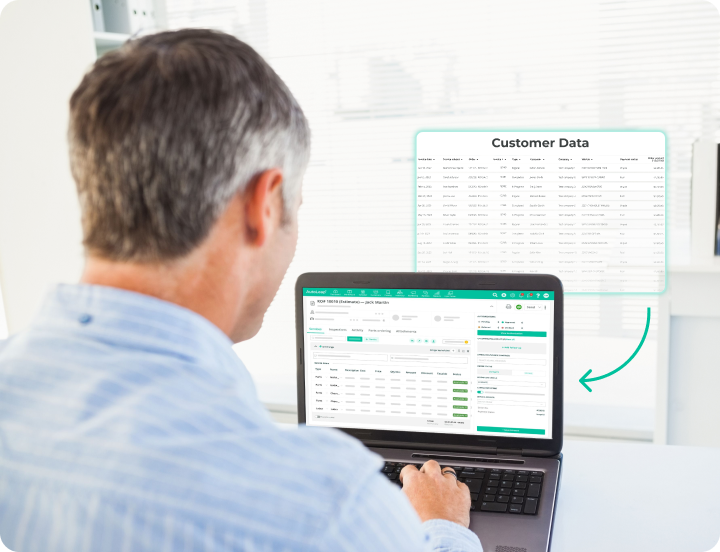
Our migration team works closely with you to understand your current setup and ensure your customer, vehicle and service data is transferred accurately.

Fully Assisted Onboarding
Receive personalised guidance from our data experts to ensure your data is ready for a seamless transfer.

Review and Validation
Once the migration is complete, we review the data together. Based on your feedback, we fine-tune, clean up or enhance anything your shop needs.
Experience Our Proven Onboarding Process
We’ve refined our onboarding over hundreds of successful shop launches. The result? A clear, guided process that helps you get comfortable fast.
Start Immediately
Gain access to your environment and explore features, test workflows and see how our system fits your shop.
Import Your Data
We take care of moving your critical information, including customer records, vehicle history and past invoices.
Training Built Around Your Team
Your team gets practical training through live webinars, one-on-one sessions and a comprehensive knowledge base focused on real shop workflows.
Go Live With Confidence
Most shops are fully up and running within two weeks. Our team stays involved to support you, answer questions and make sure productivity kicks in immediately.
Get the Best Support in the Auto Repair Industry
Experience a smooth and efficient transition to smarter shop management with AutoLeap.

Customer Success Manager
Get a dedicated account manager to ensure personalized support and seamless onboarding.

Knowledge Base
Access our extensive library of help articles and tutorial videos to easily learn how to use AutoLeap.

Responsive Support
Experience hands-on support that’s ready whenever you need it.

Live Chat
Get immediate assistance through live chat during business hours, providing real-time solutions.
Don't Just Take Our Word For It
Discover why thousands of auto shops across the US and Canada have confidently made the switch to AutoLeap. Read first-hand experiences from our customers.
All the Tools Your Shop Needs, Finally in One Place.
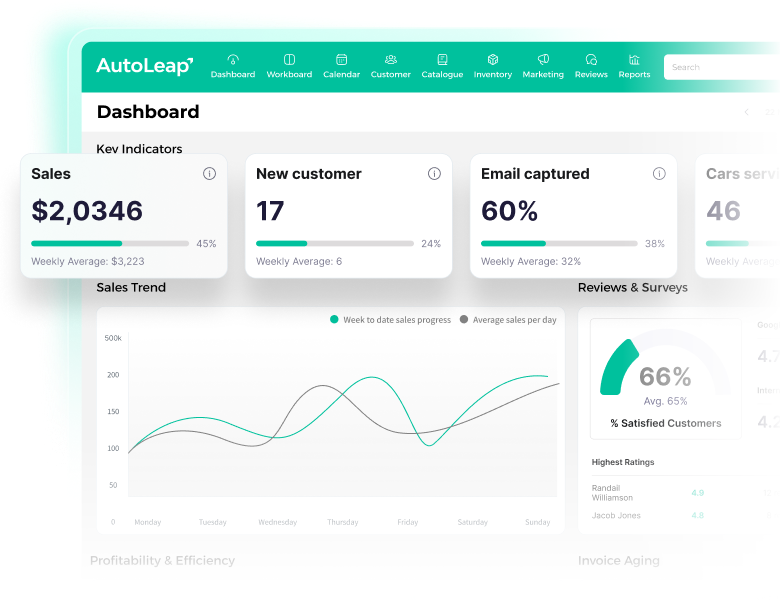
Stop managing tools. Start managing your shop. AutoLeap connects every part of your operation into one system built to save time, reduce mistakes, and help you grow with confidence.
Numbers Speak Lounder Than Words

96%
Customer Satisfaction
Ensuring every customer feels heard and supported.

15 Seconds
Average Response Time
Get immediate support to ensure your shop runs into no delays.

65+
Data Sources Supported
Seamlessly migrate data from a wide range of platforms.
Frequently Asked Questions
Are there any setup fees?
Yes, we do have setup fees, but they vary based on your shop’s requirements. For more detailed information, please contact our team directly at sales@autoleap.com.
Do you offer a free trial or demo?
Yes, we believe in our product and want you to experience it firsthand. You can request a free demo here.
Can I connect multiple devices at once?
With AutoLeap, you can create up to 5 user accounts in the basic plan, and each account can access the software from any mobile, tablet, or laptop, since it is cloud-based. However, each user can only be signed in on one device at a time; logging in on a new device will log them out from the previous one. Additional user accounts can be added for an extra fee.
How often is the software updated?
We are constantly working on new updates for our software to bring in new features, improvements, and incorporate user feedback. While the timeline for these updates can vary, on average, we release new updates every 3-4 weeks.
Can I set access permissions for employees on the app?
Yes, you can set access permissions for employees on the app. There are three tiers of permissions: Admin, Service Advisor, and Technician. Technicians can only access the Tech App view to see assigned services. Service Advisors and Admins can view the office side of the software, including repair orders and customer details. However, some setting updates are restricted to Admins only.
Book a Personalized Demo
Explore why the best auto repair shops choose AutoLeap to run and grow their automotive business.
- Save 10+ hours of paperwork every week.
- Experience a 30% increase in shop revenue.
- Achieve a 3x increase in Google Reviews.
See AutoLeap in Action