


Looking at Shop Management Systems? See How AutoLeap Stacks Up.

AutoLeap App for Auto Repair Shops

Modern Mobile Workflows for a Faster Repair Experience

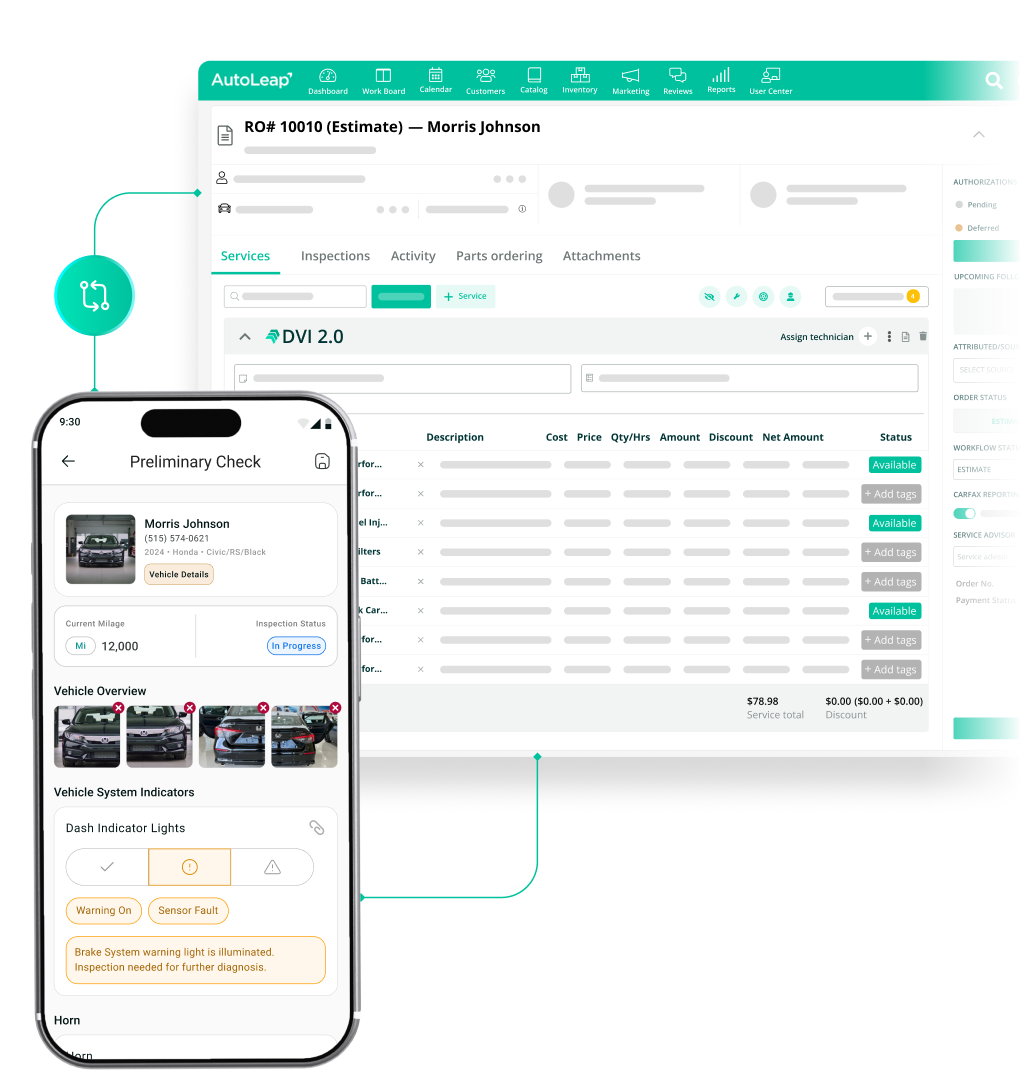
The AutoLeap App is a shop management app built for the auto repair shop floor. Service advisors and technicians can check in vehicles, scan VINs, run digital inspections, and track labor from anywhere in the shop, and everything syncs straight back to AutoLeap.

An active AutoLeap account is required to use this app.

New to AutoLeap? Sign up here.

How the Auto Repair App Works

How Does It Work?

Note: The mobile app works alongside the AutoLeap desktop platform, capturing check-in details on mobile and syncing them directly to your AutoLeap workspace.

Built for Everyone in the Auto Repair Shop

One Mobile App. Two Powerful Workflows.

Service Advisor App

Front-of-house, Anywhere

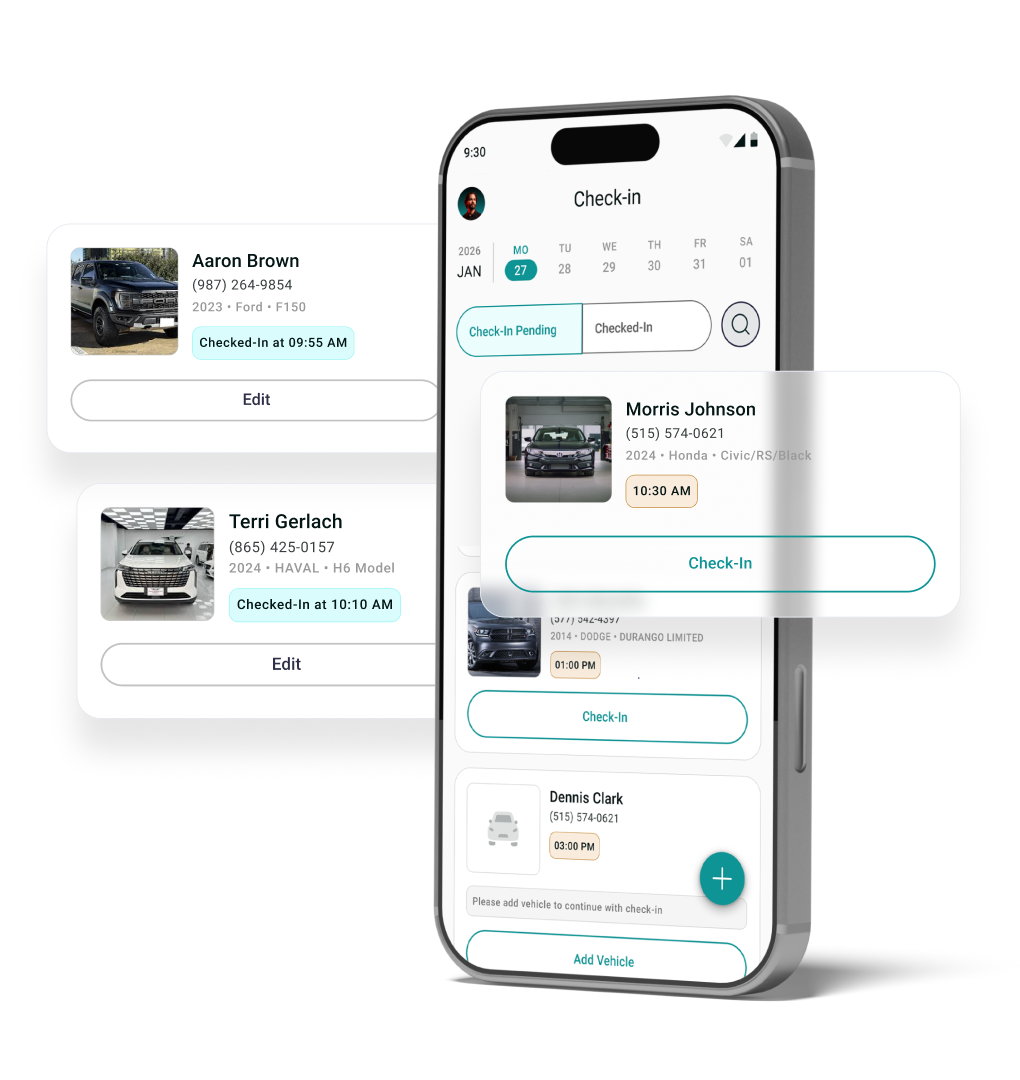
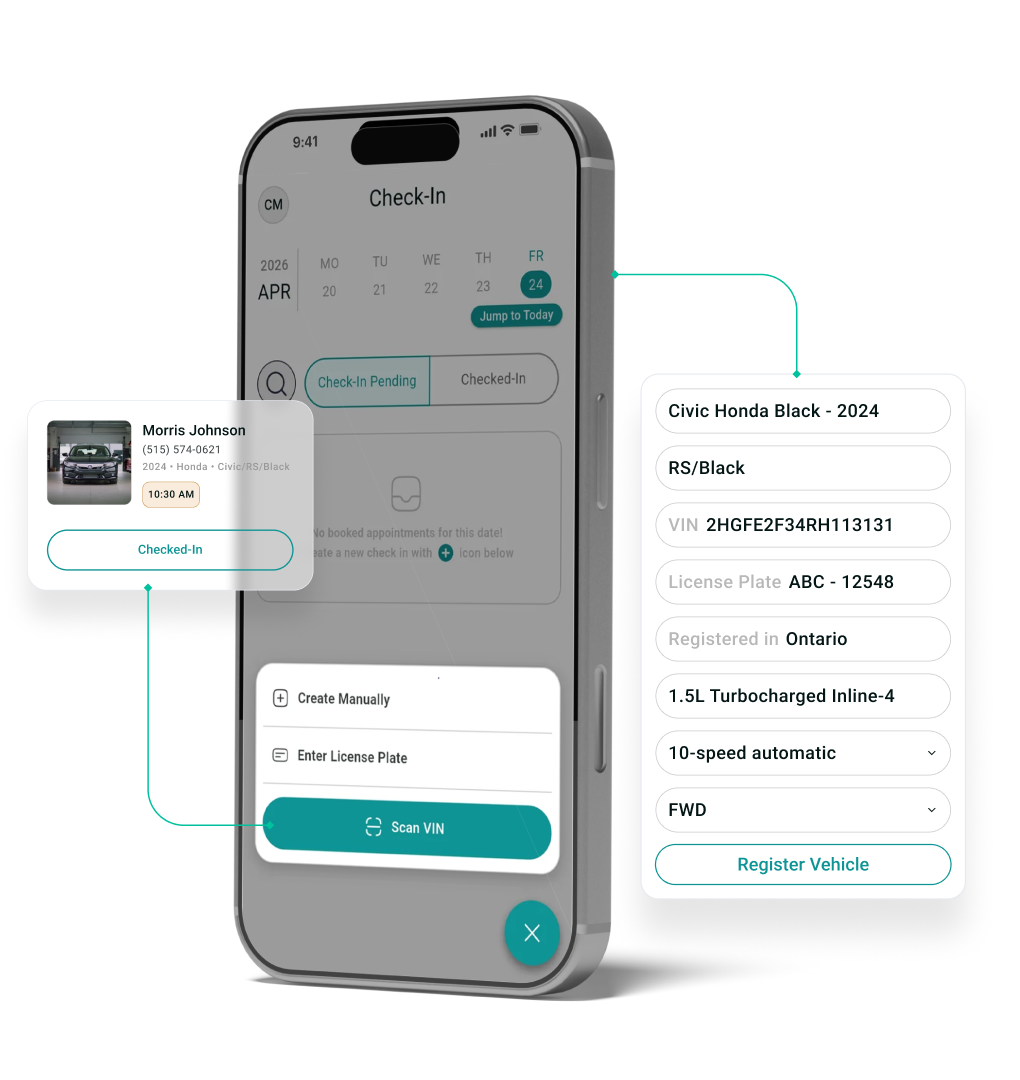
Mobile Vehicle Check-In

Check in customers at the counter, in the parking lot, or right beside the vehicle.

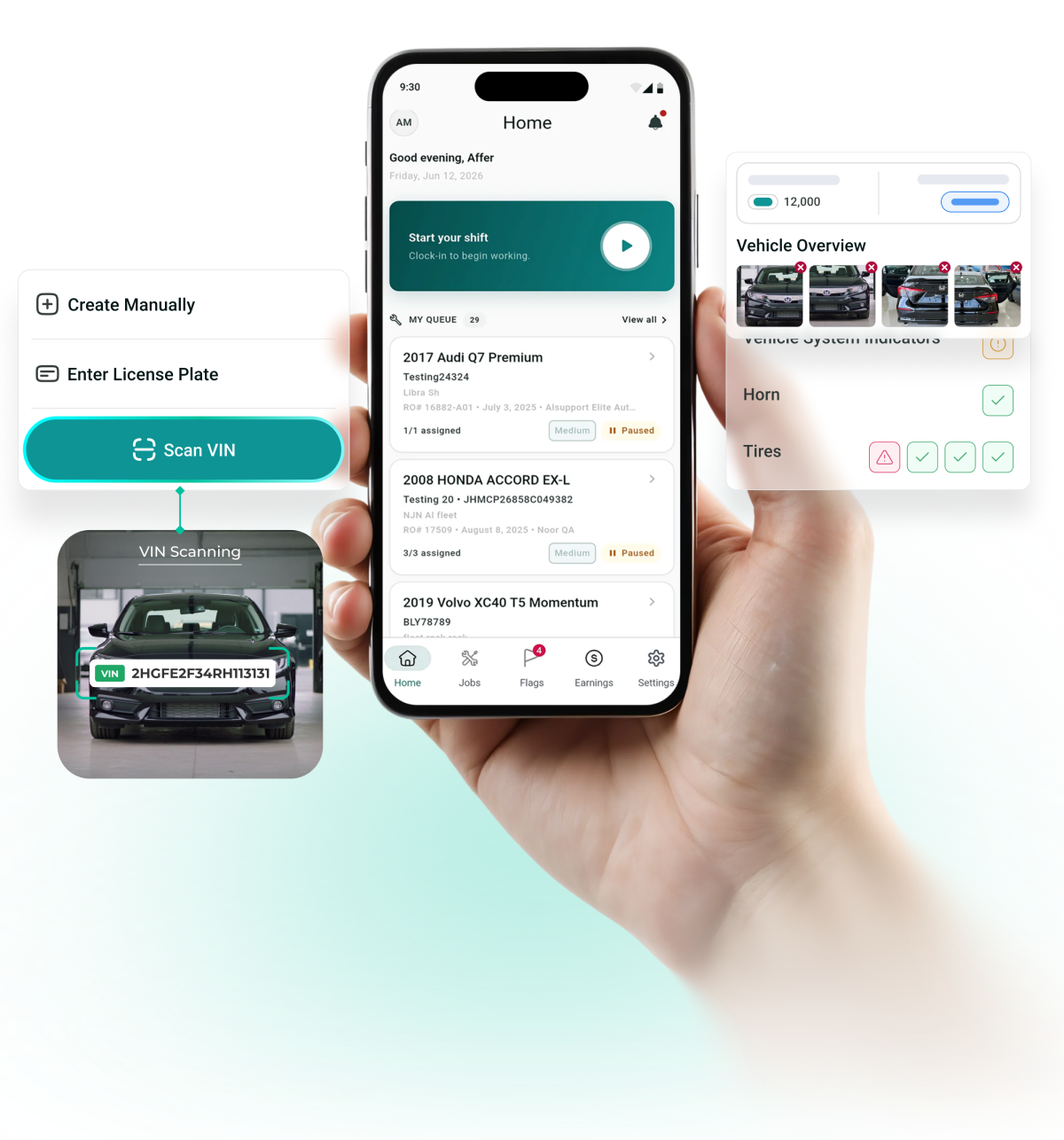
VIN & License Plate Scanning

Reduce manual entry and instantly identify vehicles.

Appointment & Walk-In Management

View scheduled arrivals and quickly check-in unexpected customers.

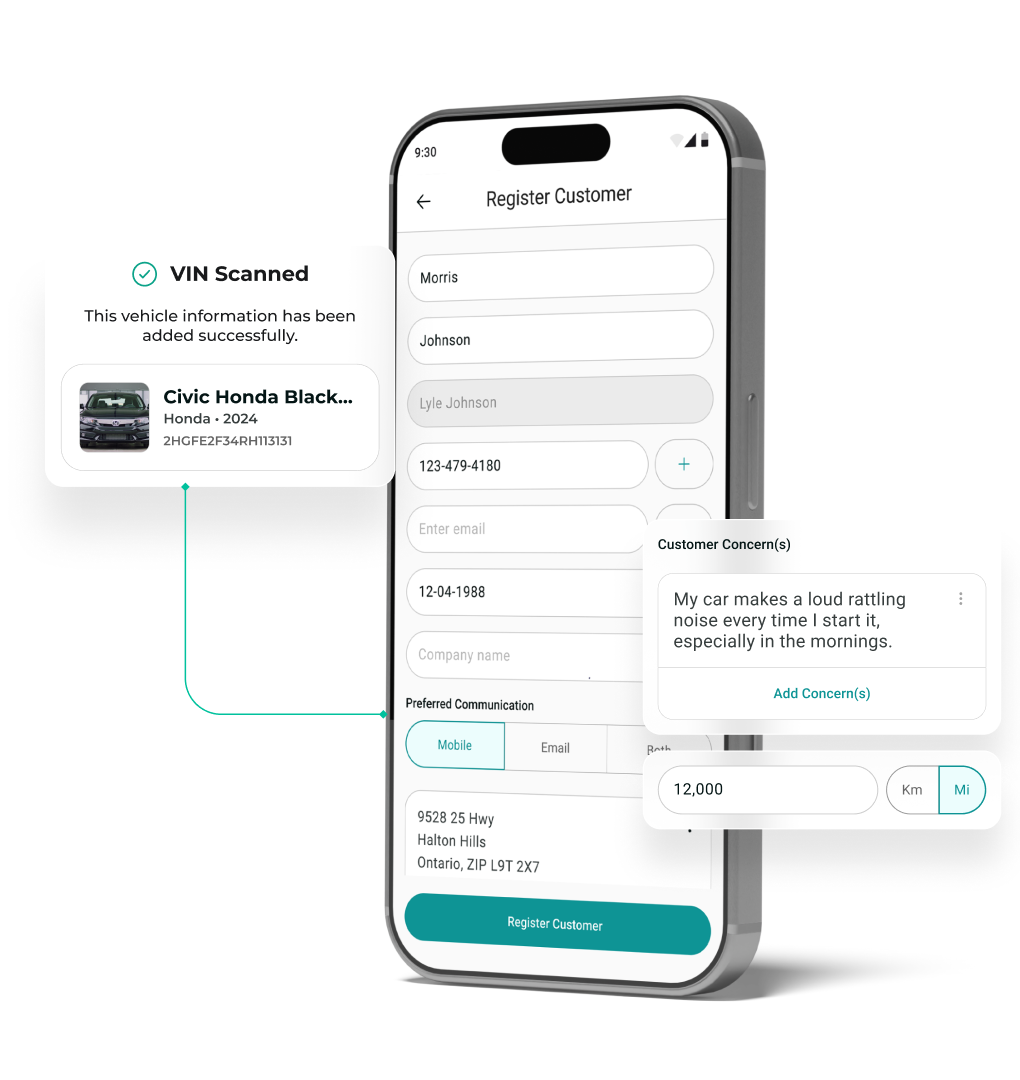
Guided Intake Workflow

Create consistent repair orders with complete customer information.

Photo Documentation

Capture vehicle condition before work begins.

Automatic Estimate Creation

Submitted check-ins instantly create an Estimate inside AutoLeap.

Technician App

The Bay, in Your Pocket

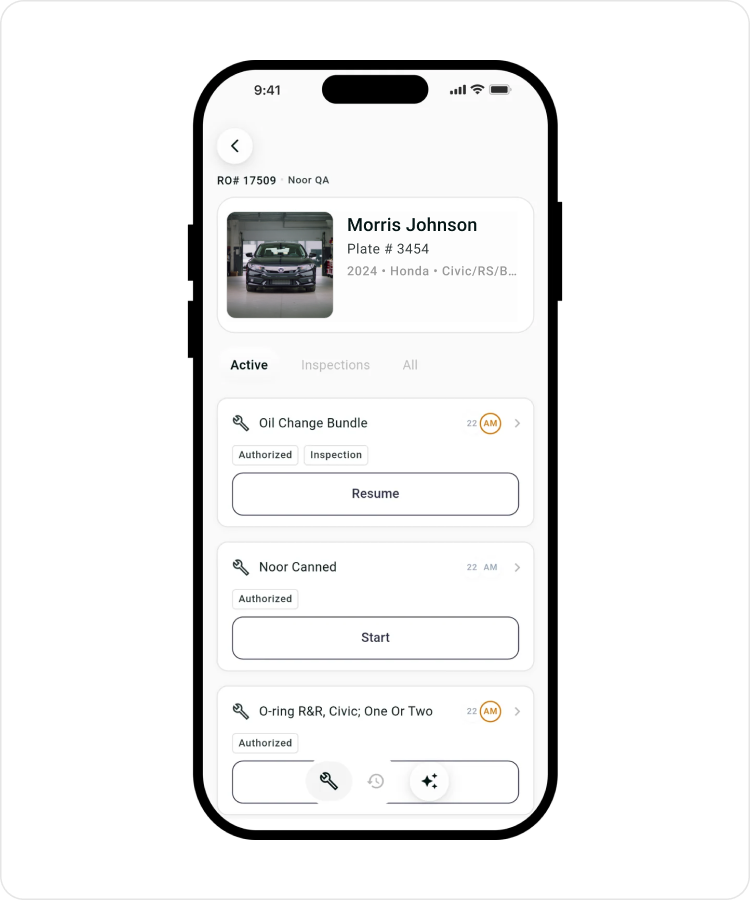
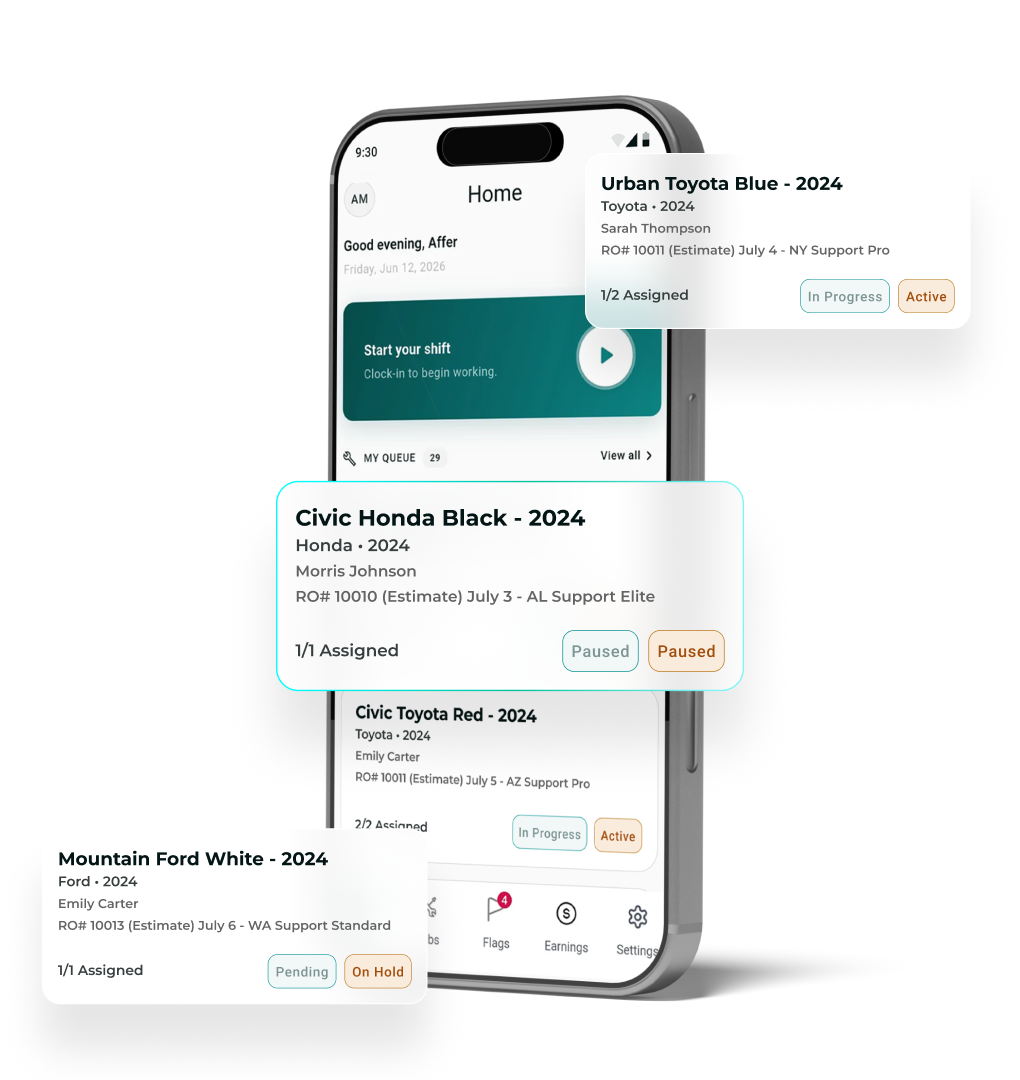
Assigned Repair Orders

Access vehicle information, repair history, and assigned services from your phone.

Labor Time Tracking

Clock in, start work, pause jobs, resume jobs & clock out without leaving the bay.

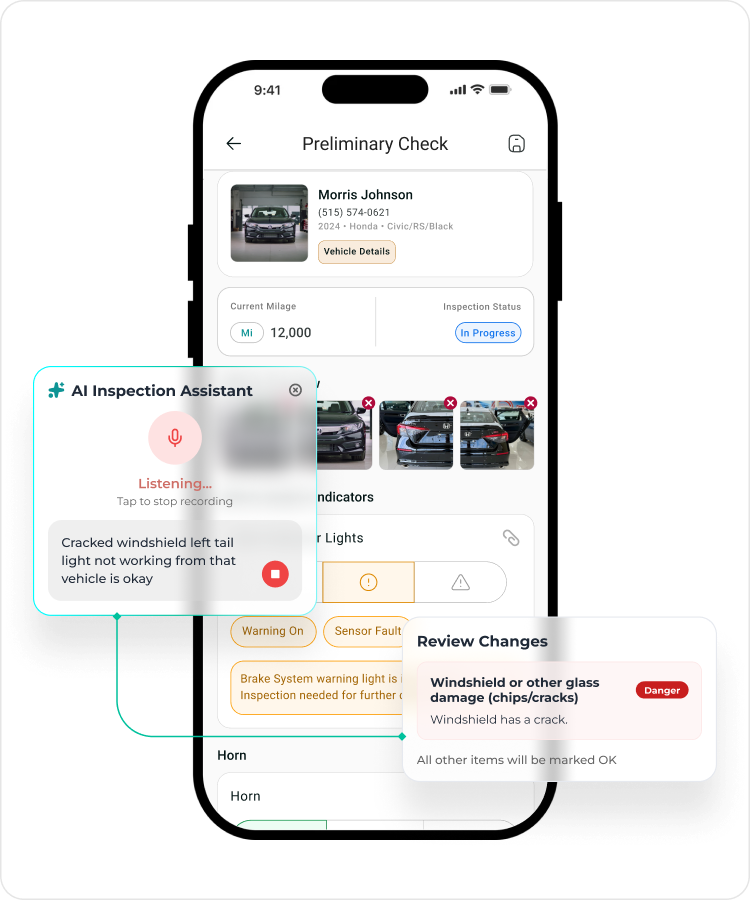
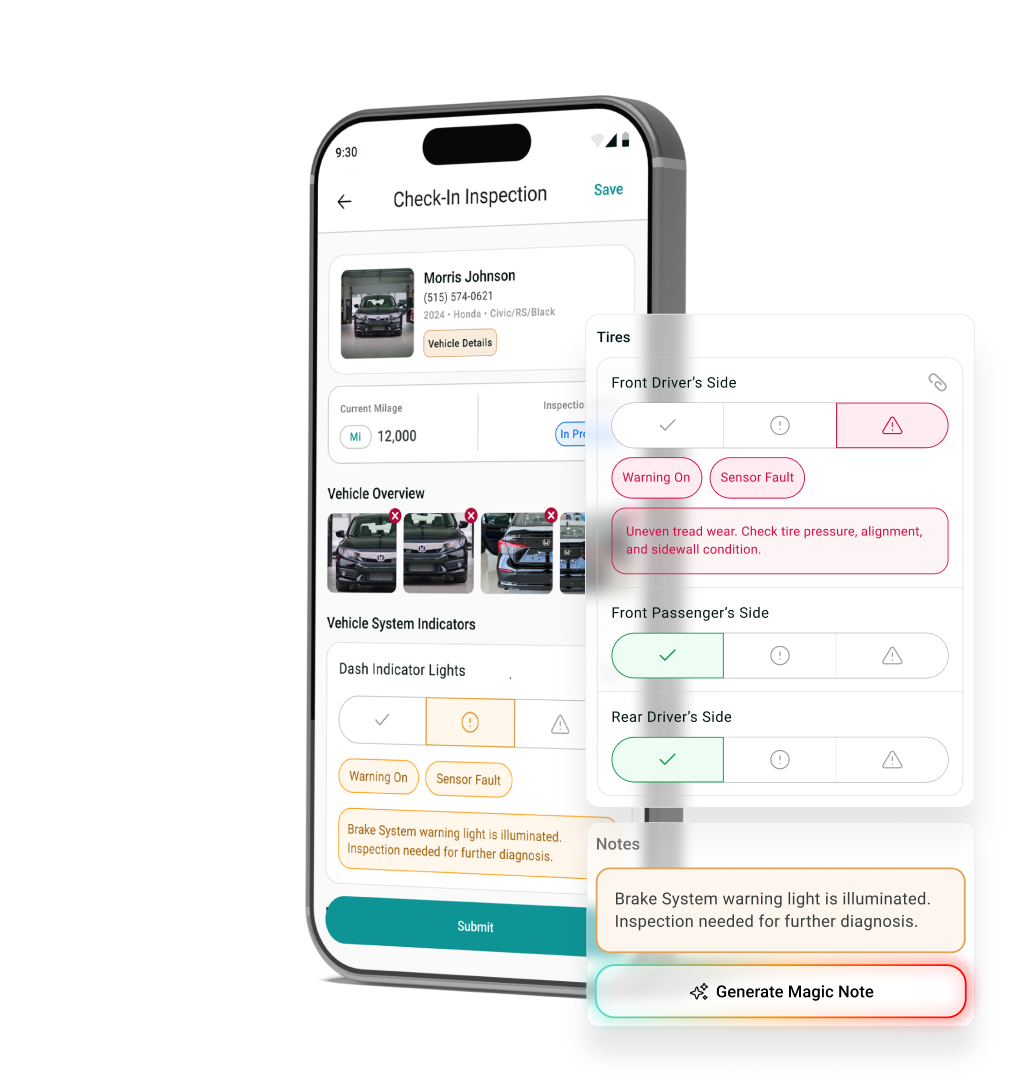
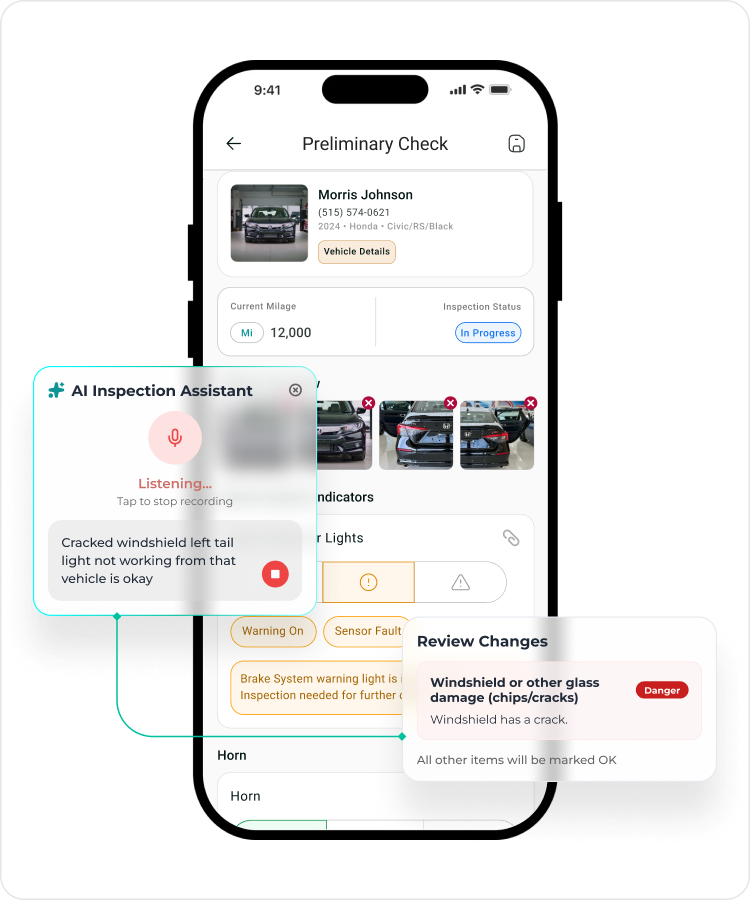
Digital Vehicle Inspections

Complete inspections, document findings, and send recommendations.

Photo & Video Capture

Attach visual proof directly to inspections and repair orders.

Technician Notes

Record findings and recommendations in real time.

Real-Time Communication

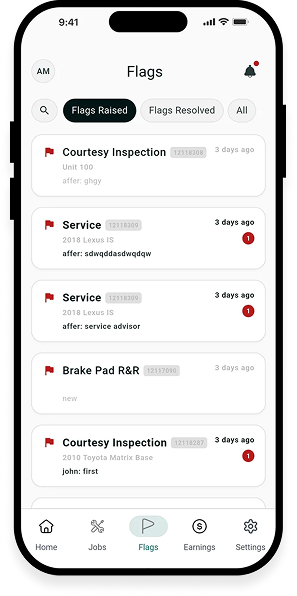
Raise flags and share updates with service advisors instantly.

Included in AutoLeap’s Auto Repair App

More Ways the App Keeps Work Moving

AI Magic Notes

Turn rough technician notes into clear, customer-ready wording in a tap.

Repair Guides

Pull up the repair guide information available inside AutoLeap without leaving the vehicle.

Look-Up & Search

Find any customer, vehicle, or repair order by name, phone number, or date.

Canned Notes

Save your shop's most common notes and reuse them instead of retyping.

Job Notifications

Get notified the moment a job is assigned, started, or left unassigned.

Vehicle Specs

Check vehicle specifications right at the bay, on your phone.
Built for How Auto Repair Shops Actually Work

Key Shop Workflows, Right Where Work Happens

Work Where the Vehicle Is

Check in customers, document vehicle condition, perform inspections, and track repair progress right at the vehicle, anywhere in the auto repair shop.

Reduce Manual Data Entry

Capture information once and sync it directly with AutoLeap to eliminate duplicate work and reduce errors.

Keep Teams Connected

Service advisors and technicians in auto repair and mechanic shops stay aligned with shared repair information, inspection findings, and real-time updates.
Capture Information in Real Time

Record concerns, photos, findings, notes, and labor activity as work happens, not hours later.

Keep Repairs Moving

Eliminate unnecessary trips between the front counter, service bay, and desktop computer, so work flows more efficiently.

Stay Connected to AutoLeap

Everything captured on mobile syncs directly with AutoLeap, giving your team access to the latest information across the shop.


FAQs

Everything You Need to Know About the AutoLeap Mobile App

Who is the AutoLeap App for?

The AutoLeap App is designed for both service advisors and technicians. Service advisors can manage customer intake and vehicle check-ins, while technicians can access repair orders, perform inspections, track labor, and document findings from anywhere in the shop.

Service advisors can check in vehicles, scan VINs, capture mileage and photos, document customer concerns, and create estimates. Technicians can view assigned work, perform digital inspections, track labor time, add notes, and upload photos directly from their mobile device.

No. The AutoLeap App works alongside the AutoLeap desktop platform. Information captured on mobile automatically syncs with AutoLeap, helping your team stay productive while working away from a computer.

Yes. The AutoLeap App is available for both Android and iOS devices.

Yes. An active AutoLeap account is required to use the app. Sign in with your existing AutoLeap credentials, and your shop administrator sets your role and permissions.

NOT AN AUTOLEAP USER YET?

The App Runs On Your AutoLeap Account

Shops running AutoLeap get the app as part of the platform. No second system for your techs to learn. Book a demo, and we'll walk through how your shop would run it, from front counter to back bay.

An active AutoLeap account is required to use this app.

See AutoLeap in Action

See AutoLeap in Action

By entering your information above and clicking the "Get Free Demo" button, you agree to our Terms of Use and Privacy Policy, and that we may contact you, at the phone number and email address you provide in this form.